GitHub Copilot Dev Days Butwal: My Experience Teaching AI-Assisted Development
This Sunday Oct 4 2026, I had the opportunity to speak at GitHub Copilot Dev Days - Butwal, a community-driven learning event organized by the CSIT Association of BMC.
My session was titled “GitHub Copilot: Your AI Companion for Every Workflow.”
For me, this was more than another technical session.
It was a new experience.
I have been mentoring and sharing whatever I have learned with students and fellow developers for the past couple of years. I don't consider myself someone who knows everything and I don't think any developer should.
But I do believe that if you have learned something that can help someone who is just starting, sharing it can make a difference.
This session gave me another opportunity to do exactly that.
Event: GitHub Copilot Dev Days – Butwal
Organizer: CSIT Association of BMC
Topic: GitHub Copilot: Your AI Companion for Every Workflow

From Learning AI to Talking About It
Over the past year, I have been spending a lot more time exploring Generative AI, AI-assisted development, and Agentic AI.
Like many developers, I initially approached AI from the perspective of:
“What can this tool help me build?”
But the more I explored it, the more interesting the question became:
“How is AI changing the way we actually build software?”
That question eventually led me deeper into tools such as GitHub Copilot and the broader evolution of AI-assisted software development.
So when I got the opportunity to talk about GitHub Copilot at Dev Days Butwal, it felt like a natural continuation of something I was already learning myself.
I wasn't standing in front of the room as someone who had figured everything out.
I was sharing what I had been exploring.
And that made the experience even more meaningful.
What We Covered in the Session
The session, “GitHub Copilot: Your AI Companion for Every Workflow,” was focused on understanding Copilot beyond simply generating code.
We explored how AI is becoming part of different stages of the software development workflow.
Some of the areas we discussed included:
The evolution of AI-assisted software development
The evolution of GitHub Copilot
AI-powered code completion and inline suggestions
Using natural language to communicate with coding assistants
Prompt engineering for developers
Using AI to plan and build software
GitHub Copilot CLI
AI-assisted debugging and development workflows
Moving from code suggestions toward agentic development
The emerging idea of an Agentic Software Development Lifecycle (SDLC)
GitHub Copilot has changed considerably from the early days of simple autocomplete style suggestions.
Today, developers can use AI much more deeply across their workflows from understanding existing code and generating implementation ideas to working through larger development tasks.
GitHub's current Copilot CLI, for example, brings agentic AI capabilities directly into the terminal and can work with projects from the command line.
That shift is something I find particularly interesting.
From Code Completion to Agentic Development
One of the things I wanted participants to understand was that AI coding tools didn't suddenly appear in their current form.
There has been a gradual evolution.
A simplified version of that journey looks something like this:
Traditional programming
→ Write everything manually
AI code completion
→ AI suggests the next lines of code
AI chat
→ Ask questions, explain code, debug problems
AI-assisted development
→ Give AI larger development tasks
AI agents
→ AI can reason through tasks, interact with tools, modify files, and work through multi-step workflows with human oversight
This is an important shift.
The developer's job is increasingly moving from simply typing code toward describing problems, designing solutions, reviewing implementations, validating results, and making engineering decisions.
That does not make programming knowledge less important.
In my opinion, it makes understanding software engineering fundamentals even more important.
AI can help write code.
You still need to understand whether that code should exist in the first place.
Prompt Engineering Is Becoming a Developer Skill
Another important part of the session was prompt engineering.
Using AI effectively isn't simply about asking:
“Build me a website.”
The quality of the result depends heavily on how well you communicate the problem.
A useful prompt usually gives the AI enough context about:
What you are building
Who it is for
What the expected behavior is
Technical constraints
Existing project structure
Design requirements
Edge cases
What should and should not be changed
The difference between:
“Build a portfolio website.”
and:
“Build a responsive developer portfolio using React and TypeScript. Keep the design minimal, accessible, mobile-first, and performance-focused. Use reusable components and separate the project, experience, and contact sections.”
can be enormous.
The goal isn't to find a magical prompt.
The goal is to learn how to communicate engineering requirements clearly.
That is a skill developers already need when working with teammates, clients, product managers, and designers.
AI simply gives us another interface through which we practice it.
We Didn't Just Talk About AI. We Built Things.
This was probably one of my favorite parts of the session.
Instead of making the session entirely theoretical, we actually used Copilot to build things.
Participants created multiple web-based games, portfolio websites, and other small projects during the session.
And then something even better happened.
People started experimenting on their own. They changed the ideas. They added their own designs. They tried different concepts. They built things that weren't exactly what we had demonstrated.
That was the moment I enjoyed the most. Because the objective wasn't for everyone to copy what I was doing. It was to give them enough confidence to say:
“Wait, what if I try this?”
And then actually try it.
Seeing participants use their own creativity to build their own ideas with AI was genuinely exciting.
My Honest Take on GitHub Copilot
If I had to explain GitHub Copilot in one sentence, I would describe it as:
GitHub Copilot is an AI programming pair partner.
Not a replacement for a developer.
Not a magic button that builds perfect software.
A pair partner.
You still make the decisions.
You still need to understand the problem.
You still review the generated code.
You still test it.
You still own the architecture and the final result.
The difference is that you now have another tool that can help you explore ideas, explain unfamiliar code, generate boilerplate, debug problems, brainstorm implementations, and accelerate parts of the development workflow.
And I think that distinction is particularly important for students.
One of My Favorite Things About GitHub
As a student myself, one thing I genuinely appreciate about GitHub is the amount of resources it makes available to students through GitHub Education.
The GitHub Student Developer Pack provides verified students with access to a collection of professional developer tools, learning resources, and partner offers. GitHub currently lists GitHub Pro, GitHub Copilot Student, Codespaces resources, learning experiences, and many other benefits through its education ecosystem.
For students who are beginning their careers, this can be incredibly valuable.
You don't necessarily need expensive tools to start building.
You can get access to professional developer resources, learn how modern development workflows work, experiment with real projects, contribute to open source, and build a portfolio.
And that's something I think students should take advantage of.
If you're eligible, I strongly recommend checking out the:
It is one of the resources I wish more students knew about and actually used.
What I Learned as a Speaker
The session wasn't only a learning experience for the participants.
It was a learning experience for me too.
I've been mentoring and sharing technical knowledge for around two years now.
Over that time, I've spoken with students, helped people get started, explained technical concepts, worked through problems, and tried to share whatever knowledge I had accumulated.
But speaking in front of a room and being responsible for an entire technical session is different.
You have to think about:
How do I explain this simply?
What does the audience already know?
Where might they get confused?
How do I keep the session interactive?
How do I turn a technical concept into something practical?
How do I encourage people to experiment instead of just watching?
Those questions made me think differently about communication.
I Have Come a Long Way With Communication
One thing I noticed while reflecting on this experience is how much my communication skills have changed over the last two or three years.
I'm still not where I want to be.
I still want to become more confident.
I still want to become more convincing when explaining ideas.
And I especially want to become better at motivating people to actually take action after a session ends.
But compared with where I started, I can see the difference.
And that's a reminder that communication is also a skill that compounds.
You don't become a great speaker after one presentation.
You become better by speaking.
Then speaking again.
Then realizing what didn't work.
Then improving.
And doing it again.
Teaching Others Also Reminds Me How Much I Still Have to Learn
There is something interesting about teaching.
When you try to explain something to someone else, you quickly discover how well you actually understand it.
Sometimes you think you know a topic until someone asks:
“Why does that work?”
Then you realize you need to go one level deeper.
That is one reason I enjoy mentoring.
It forces me to keep learning.
The more I explore AI, software engineering, systems, and new development workflows, the more obvious it becomes that there is still an enormous amount left to learn.
And honestly, I like that.
Technology changes too quickly for anyone to permanently “finish” learning.
There is always another abstraction to understand, another system to build, another concept to explore, and another problem to solve.
Learning in tech never really stops.
The Bigger Lesson: AI Should Increase Curiosity, Not Replace It
One thing I hope participants took away from the session is that AI should not become an excuse to stop learning.
It should become a reason to learn differently.
Use AI to:
Explore unfamiliar concepts
Ask questions
Understand documentation
Generate experiments
Debug your code
Build prototypes
Learn from examples
Challenge your assumptions
Explore ideas faster
But don't blindly accept everything it generates.
Read the code.
Question it.
Test it.
Understand it.
Break it.
Fix it.
And most importantly, build things yourself.
The best way to learn what AI can do is not to watch someone else use it.
It's to open your editor and experiment.
What's Next for Me?
This experience also reminded me that I don't want to stop here.
I want to become a better developer.
A better communicator.
A better mentor.
And, eventually, someone who can make technical topics feel less intimidating to people who are just starting.
There is still a lot I want to explore from AI and Agentic AI to computer science fundamentals, software architecture, distributed systems, developer tooling, and building real products.
I also want to keep improving how I communicate technical ideas.
More sessions.
More writing.
More projects.
More experiments.
More mistakes.
More learning.
And hopefully, more opportunities to help someone else take their first step into technology.
Thank You, CSIT Association of BMC
A big thank you to the CSIT Association of Butwal Multiple Campus for organizing GitHub Copilot Dev Days | Butwal and for giving me the opportunity to be part of it.
I'm grateful for the trust and for the opportunity to stand in front of a room full of people who were genuinely curious about what AI can do for developers.
And thank you to everyone who attended, asked questions, experimented, built projects, and shared their creativity during the session.
The best part wasn't seeing Copilot generate code.
It was seeing people use it to turn their own ideas into something real.
That's what made the session memorable for me.
Keep Building. Keep Learning.
I'm still figuring things out myself.
But maybe that's the point.
You don't have to know everything before you start sharing.
You don't have to be an expert before you help someone.
You just need to keep learning, stay curious, and be willing to share what you know.
And if there's one thing this experience reinforced for me, it's this:
The more I learn, the more I realize how much more there is to learn.
And I'm excited for what's next.
Explore More
If you're interested in following what I'm learning and building, you can explore more of my writing on My Corner of the Internet : Sanchit Pandey.
You may also find these articles useful:
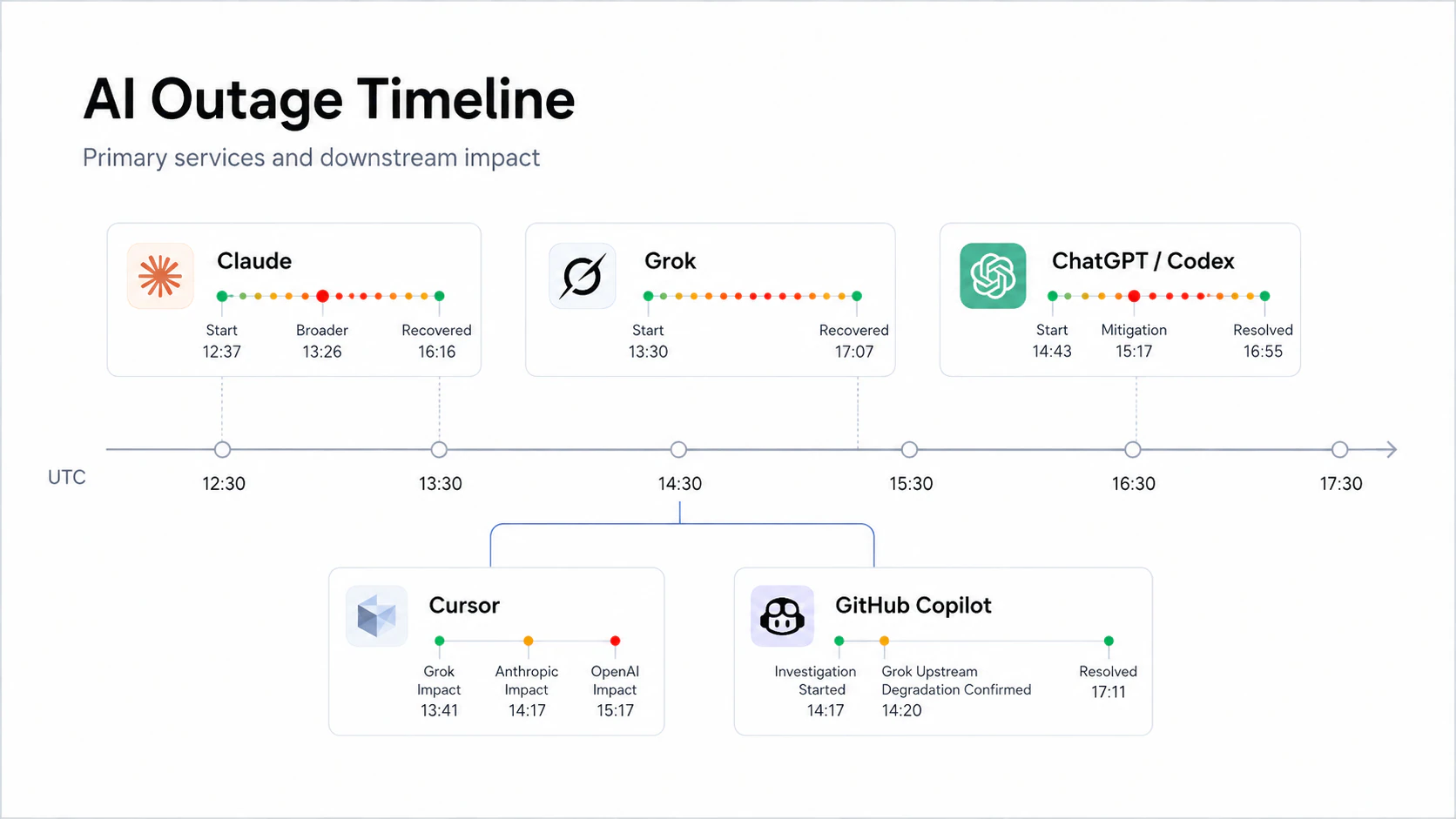
The Great AI Outage of 2026: What Really Happened to ChatGPT, Claude, and Grok?
I Stopped Chasing Tech Stacks and Started Learning Computer Science Again
Useful Resources
Keep learning. Keep building. Keep sharing.